Channel Volume
The Channel Volume chart compares transaction volume across the payment channels used by your business.
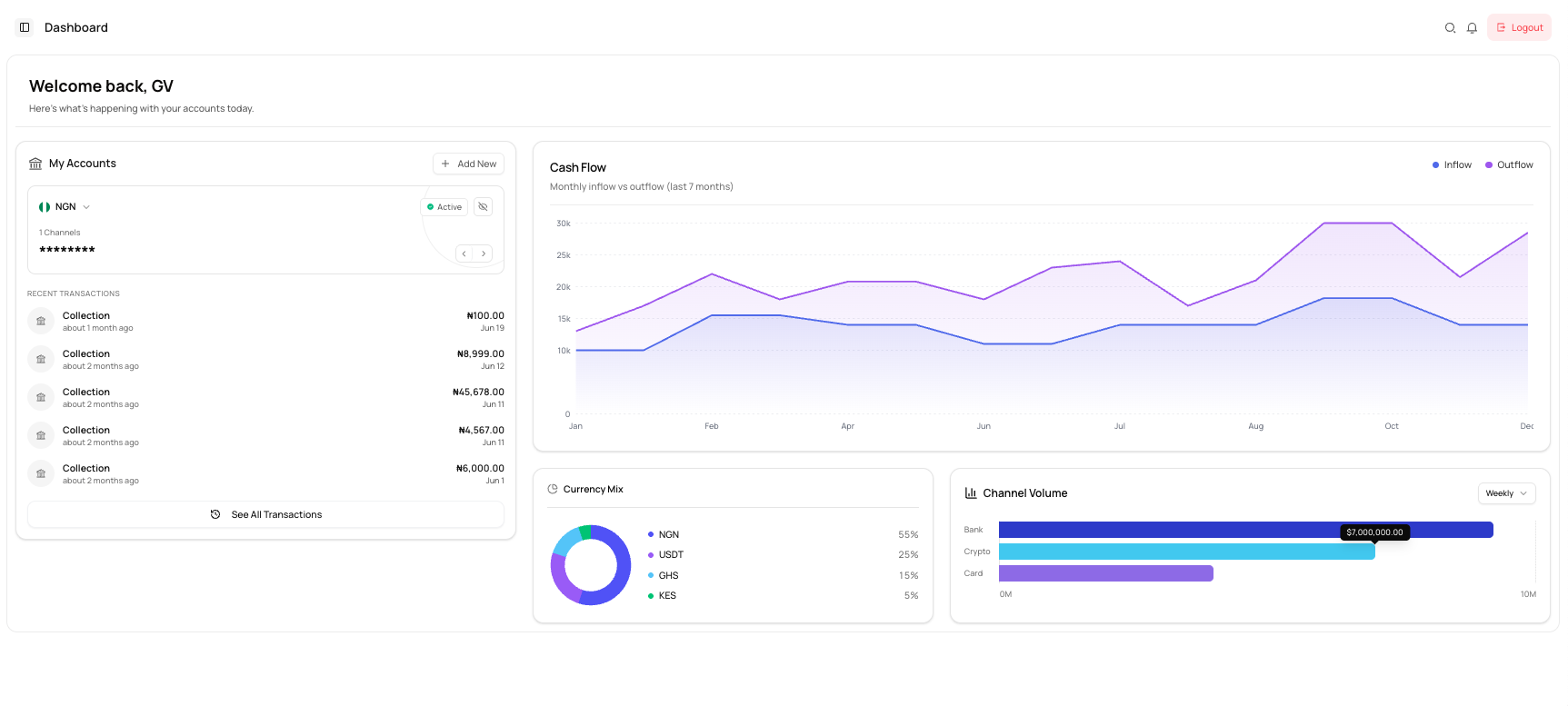
Available channels
The chart may display:
| Channel | Description |
|---|---|
| Bank | Transactions processed through bank accounts or bank-transfer rails. |
| Crypto | Transactions processed through supported digital-asset rails. |
| Card | Transactions processed through card channels. |
Change the period
Use the period selector at the top-right of the chart to change the reporting interval where available.
The dashboard example shows Weekly.
Read the chart
A longer bar represents a higher transaction volume for that channel during the selected period.
Hover over a bar, where supported, to view the value.
Use Channel Volume
This chart can help you:
- Identify your most-used payment channel
- Compare bank, crypto, and card activity
- Monitor changes in channel adoption
- Support payment-operations reporting
Only channels enabled for your business and included in dashboard analytics will appear.
Common issues
A channel is missing
The channel may not be enabled for your business or may not have qualifying activity for the selected period.
The value differs from my transaction total
The chart may use a specific time period or include only qualifying transaction types.
I cannot change the reporting period
Only the periods available in the selector can be used.