Dashboard
The Dashboard is the first page you see after signing in to the Ryno Business Portal. It gives you a consolidated view of your accounts, recent collections, and transaction analytics.
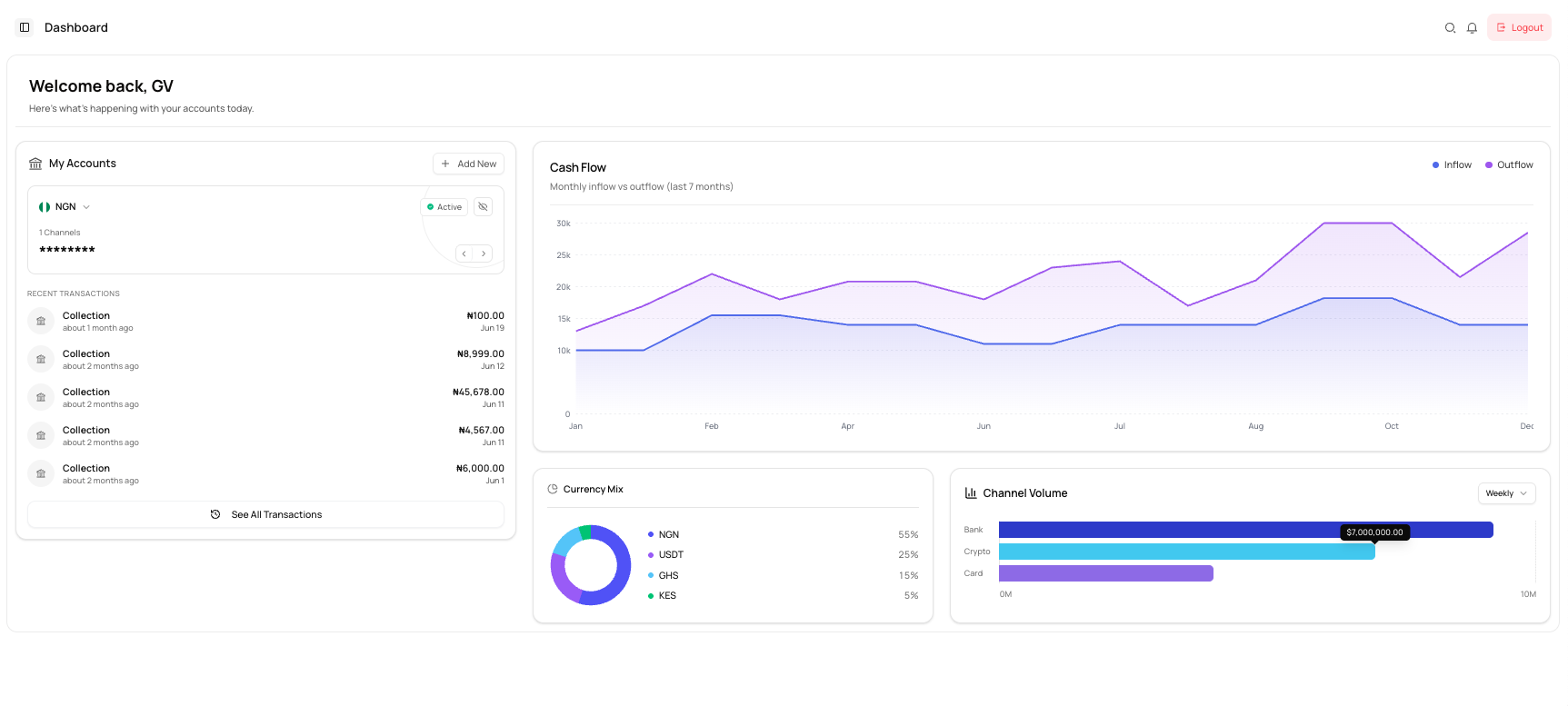
Dashboard sections
The dashboard contains the following sections:
| Section | Description |
|---|---|
| My Accounts | View your currency accounts, account status, channels, and recent transactions. |
| Cash Flow | Compare monthly inflows and outflows. |
| Currency Mix | View the percentage distribution across currencies. |
| Channel Volume | Compare activity across Bank, Crypto, and Card channels. |
What you can do
View your accounts
View an account, check its status, and review recent transactions.
Monitor cash flow
Compare inflows and outflows over time.
Review currency mix
See how activity is distributed across supported currencies.
Compare channel volume
Compare transaction volume across available channels.
Navigation
Use the top bar to:
- View notifications
- Refresh the page
- Sign out of the Business Portal
info
The information displayed on the dashboard depends on the accounts and transaction activity available to your business.